
sell & pick changelog
Filter more easily and quickly (also on mobile)
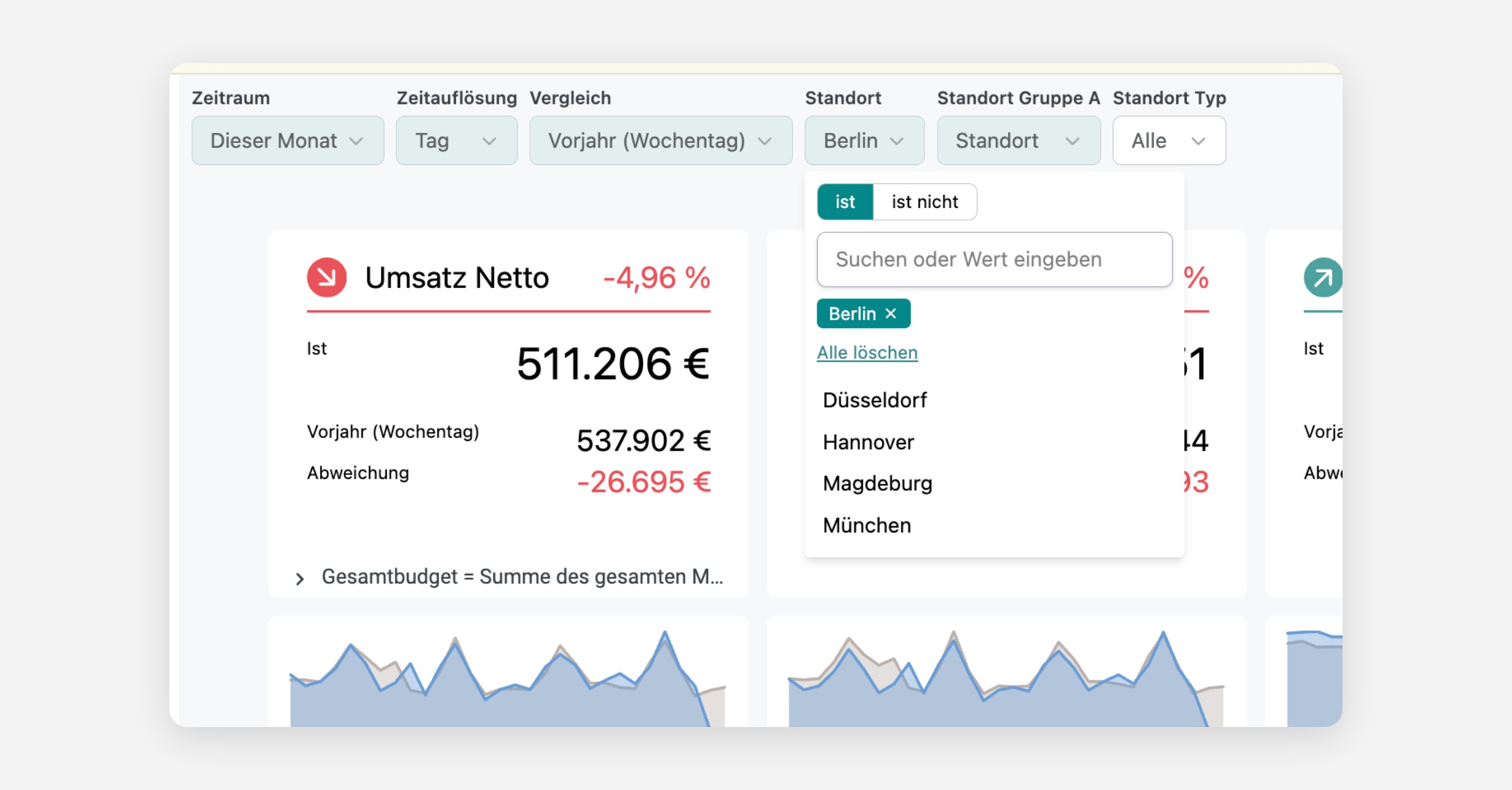
With the new filter bar, you can put together dashboard data more precisely and share your selection directly by link. You can find all info here: Filtering in dashboards
Apply filters faster
The filters are at the top of the dashboard. You can select a time period, branch, or product group and adjust several filters one after another.
Your changes are only applied after a click on the refresh icon. On your phone, use
Filter anwendenfor this.
Active filters at a glance
Fields highlighted in green show active filters. A white field with Alle does not limit the data. You can spot required filters by the red star.
Use Weitere Filter › to open more filters. The three-dot menu also contains Filter zurücksetzen to work with the dashboard's starting values again.
Share selection
Your filter selection is in the browser address. Copy the link to share a dashboard with this exact selection.
Gradual rollout
We are rolling out the new filter bar gradually. If your dashboards still look different and you want to use the feature earlier, contact us.